Meet the biggest new features, plus the thoughtful improvements that make Red Bricks more useful every day.
72 new ways to do moreMore useful every week
01 HEADLINE RELEASES
Meet the latest highlights.
New ways to work smarter, serve clients better and get more from Red Bricks.
NewWebsite
Turn Any Building Into a Live Listing Section
Find a building, choose its live listings and place a reusable section anywhere your website needs it.
Read the update +
Reusable building listing sections make focused neighbourhood and building pages much easier to assemble. The editor now includes live building search and a centred preview so the result is clear while you build it.
Try it now
Open Customize and add a listing section.
Search for a building and choose the listings to feature.
Place the reusable section where it fits your page.
Find a building Choose the listings Place the section
✓ Section ready
ImprovedPortfolio
A Clearer View of Every Property
See stronger sold-supported estimates, aligned rent and pre-con projections and clearer value history across your portfolio.
Read the update +
Portfolio estimates now use better property evidence and stay consistent across the summary, property detail and history views. Charts have also been refined so value, rent and pre-con projections tell one coherent story.
Try it now
Open Portfolio.
Choose a property to review its estimate and evidence.
Use the value and rent history charts to follow the property over time.
Review the evidence Follow value and rent See the full picture
✓ Portfolio aligned
NewMarket Intelligence
Market Insights Sees the Bigger Picture
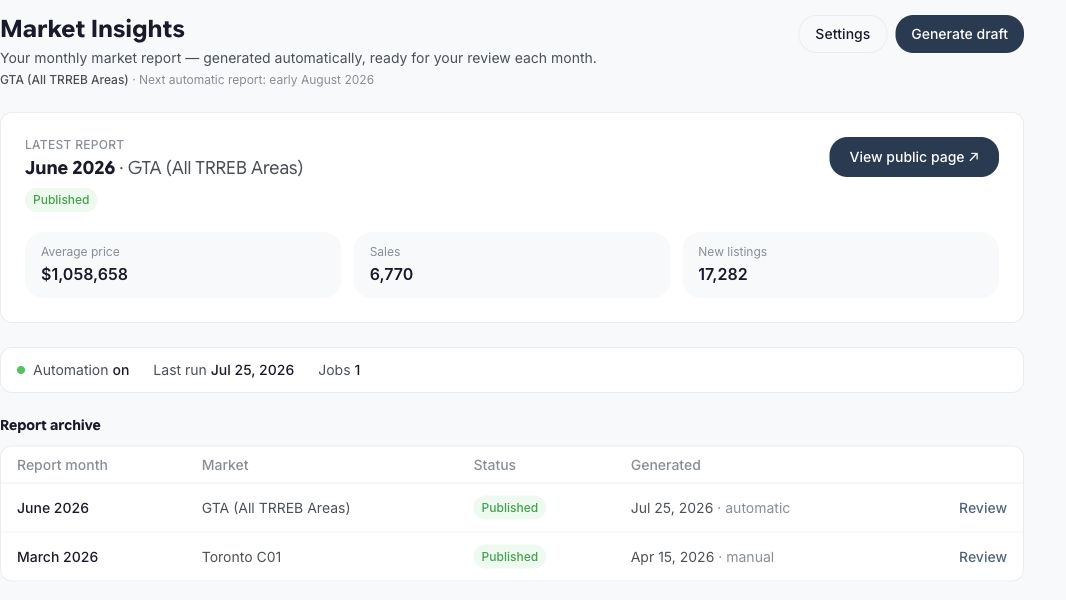
Compare districts, open a city-wide snapshot and explore ODIN economic, demand and income signals alongside the market story.
Read the update +
Market Insights now moves from a local report to a broader decision workspace. Choose multiple districts, zoom out to the city and use ODIN context to explain the forces behind demand, affordability and buyer outcomes.
Try it now
Open Market Insights.
Choose a district comparison or the city-wide snapshot.
Explore the ODIN signal cards and buyer-facing scenarios alongside the market charts.
Market IntelligenceMarket Insights sees the bigger picture
Choose a market Read the signals Share the story
✓ Context ready
ImprovedWebsite
More of Your Website Is Yours to Shape
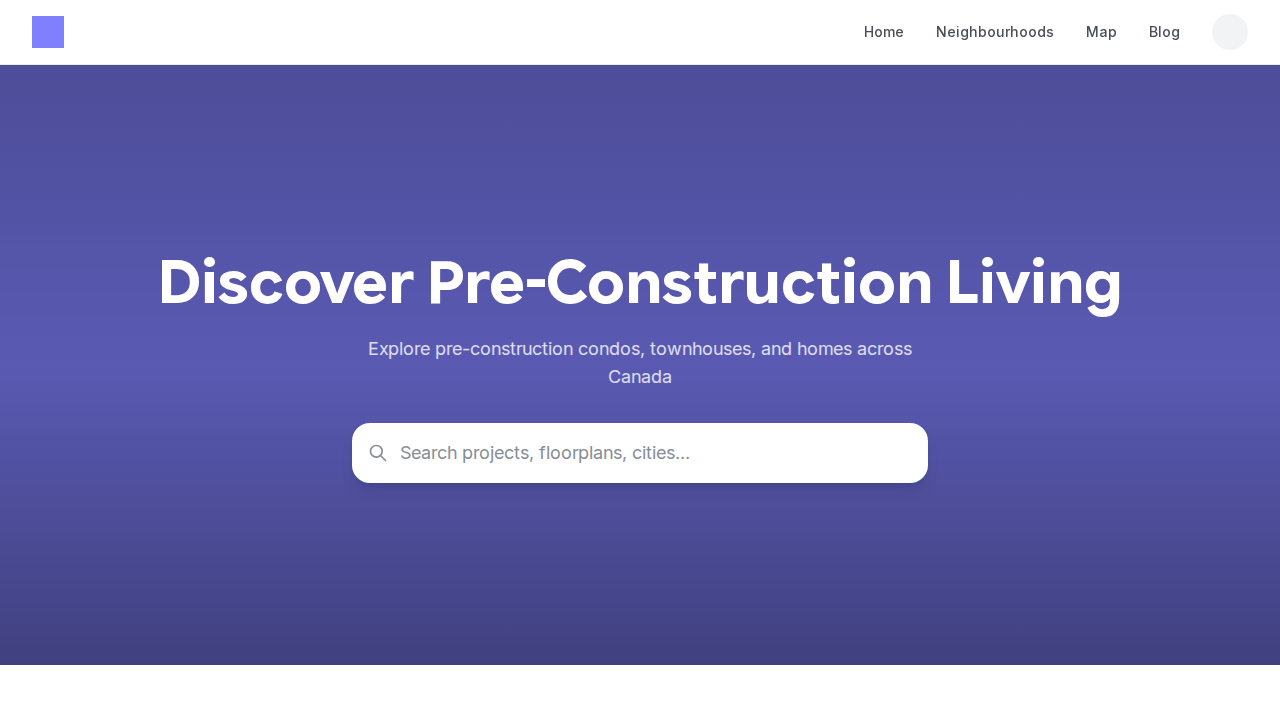
Customize individual homepage sections, project pages, Search, Map, Blog, floor plans and icon styles from one expanding design workspace.
Read the update +
Customize now reaches much further across your website. Pick layouts surface by surface, control important project-page details and return any choice to the active theme when you want a clean starting point again.
Try it now
Open Customize.
Choose the page or surface you want to change.
Pick a style and preview it, or use Reset to theme to return to the theme default.
Thirteen New Themes, One Site That Feels Like Yours
Explore 13 additional website themes with distinct typography, layouts and details, then preview the right direction before making it yours.
Read the update +
The theme gallery has grown into a much broader starting point for your brand. Each new look includes its own preview and plain-language description, while Customize remains available for the finishing touches.
Try it now
Open Customize and choose Themes.
Preview the new looks against your website.
Apply a theme, then fine-tune individual surfaces as needed.
Ask a question, report an issue, attach the context and follow every reply and resolution from one private place.
Read the update +
Feedback is now part of Red Bricks instead of a separate support handoff. Your team can send a question or issue with screenshots, see replies arrive live and tell when something has been resolved.
Try it now
Open Feedback from the admin menu.
Choose a question or issue, add the details and attach any helpful screenshots.
Follow replies and resolution updates in the same thread.
Share the details Follow the reply See the resolution
✓ Conversation clear
NewLead Generation
Turn an Address Into a New Conversation
Give homeowners a simple valuation experience and turn each submitted address into a useful new lead.
Read the update +
Home Valuation is now a complete lead experience inside Red Bricks. Visitors can start with their address, while your team gets the context needed to continue the conversation.
Lead GenerationTurn an address into a conversation
Collect the address Prepare the estimate Start the follow-up
✓ Lead ready
NewLead Generation
Meet Visitors at the Right Moment
Build targeted banners and pop-ups, preview the experience and publish it across your website from Red Bricks.
Read the update +
Website Campaigns gives you a focused way to promote an offer, guide visitors or capture interest without rebuilding a page. The builder includes a live preview so the message can be checked before it appears on your site.
Try it now
Open Banners and Pop-ups.
Choose the message, audience and placement.
Preview the campaign, then publish it when it is ready.
Ask your connected AI to add a Yorkville condo carousel, feature your agents, connect your YouTube channel, or reorder your homepage. You review every change before it goes live.
Read the update +
Your homepage is now a conversation. Describe the result you want and your connected AI can shape the hero, add or move sections, build filtered or hand-picked property carousels, update social feeds, and publish your team. Red Bricks prepares a clear preview first, so nothing changes until you confirm it.
Try it now
Open Settings → AI Connections and connect your preferred assistant.
Try: ‘Add condos in Yorkville under $900K, then place my YouTube channel underneath.’
Review the proposed homepage and confirm when it looks right.
✦Add a carousel of Yorkville condos under $900K to my homepage↑
✓ Approve & publish
Read your homepage Found 12 projects Drafted a section
✓ Published
ImprovedMarket Insights
Market Stats, Now in the Moment
See market temperature, average sold price, inventory and sold-versus-asking context where the conversation is already happening.
Read the update +
Market Insights now appears on neighbourhoods, pre-construction projects and select MLS listings. See the local market temperature, then open the full report when you want more detail. Built-in safeguards help keep each stat tied to the right area.
Try it now
Open Market Insights to choose and review your primary market.
Visit an eligible neighbourhood, project or MLS listing page.
Open the market card when you want the full report.
Create a podcast, upload episodes, publish your show, give every episode a permanent page and get ready for Apple, Spotify, YouTube and more, all from Red Bricks.
Read the update +
Start your show privately, upload and review each episode, then publish when you are ready. Every live episode gets its own Red Bricks page, plus a clear path to Apple Podcasts, Spotify, YouTube and Amazon Music.
Try it now
Open Podcast and choose Start a podcast.
Add your show details, upload an MP3 and review the draft episode.
Publish when ready, then use Distribution to work through each directory.
Ask your connected AI to prepare a CMA or worksheet draft, organize a lead import, and help with calendar, notification, lead flow and Market Insights settings.
Read the update +
Your AI connection can now help with more of the work you already do in Red Bricks. It shows you important changes before applying them, so you stay in control.
Try it now
Open Settings → AI Connections and connect your preferred assistant.
Ask for a CMA draft, worksheet draft or supported settings change in plain language.
Review and confirm any change before it is applied.
✦Prepare a CMA for 8 Elm and organise this week's lead import↑
✓ Review the CMA
Found the property Picked 4 comparables Built a draft
✓ Draft ready
NewCRM
Every Client Interaction, One View
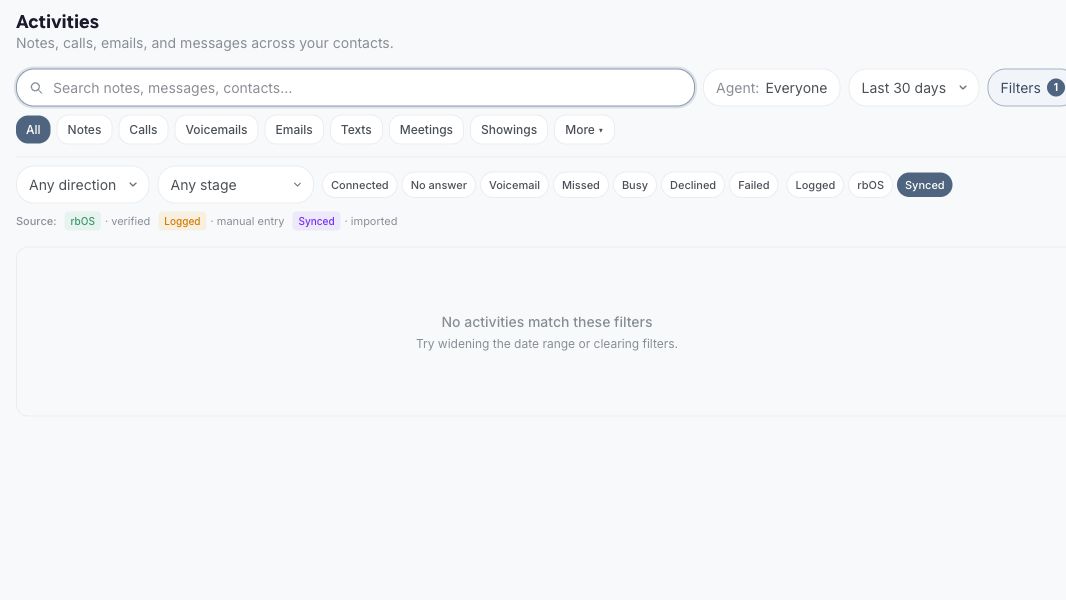
See calls, texts, emails, notes and meetings across your clients in one fast, filterable Activities workspace.
Read the update +
Activities brings the complete client story into one workspace. Filter by the details that matter, open a conversation when you need it, or jump straight into the client record.
Try it now
Open CRM → Activities.
Filter by interaction type, direction, source or agent.
Open an activity for more detail, or jump straight into the client record.
Add Red Bricks Pixel to another website and see consented visits alongside each client's calls, messages, notes and other activity.
Read the update +
Use Site Tracking to connect the websites you already own and confirm everything is working. New visits can flow back to Red Bricks, giving you a clearer picture of what interested each client before they reached out.
Try it now
Open Settings → Site Tracking and add your website.
Follow the setup steps shown for your site.
Confirm the connection, then watch new website activity appear in Red Bricks.
Skyline, Courtyard, Gallery, Penthouse, Concierge and Marquee are live in the Theme Marketplace, with previews that match what you apply.
Read the update +
Each theme changes the complete feel of your site, including colours, fonts, cards, spacing, maps and more. Preview every look on your real site, then apply your favourite from one place.
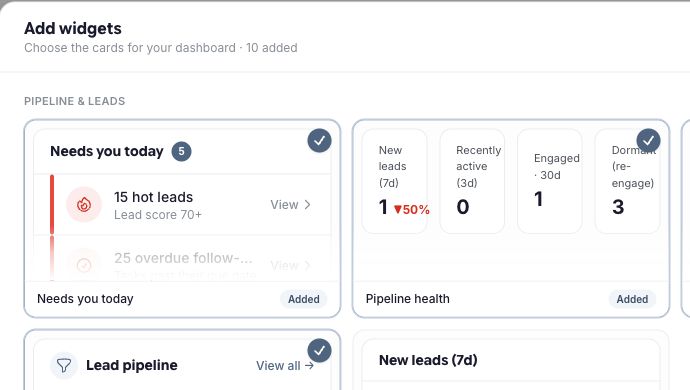
Drag, resize, add, remove and reorder 14 widgets so your Red Bricks dashboard opens exactly the way you work.
Read the update +
Choose from 14 widgets for visitors, signups, appointments, worksheets, market insights, your pipeline and more. Arrange the dashboard around the work you want to see first.
Try it now
Open the admin dashboard and choose Customize.
Drag whole tiles, pick a width, or remove what you do not need.
Choose Add widgets to bring another useful view onto the dashboard.
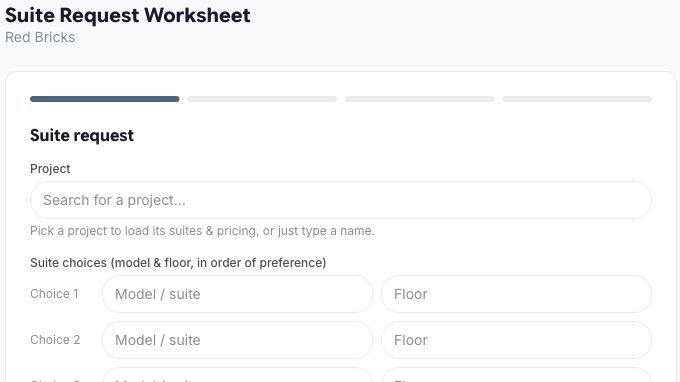
Capture worksheet details securely, generate a polished submit-ready PDF and keep the result connected to the client record.
Read the update +
Red Bricks now takes a worksheet from the buyer's first entry through to a polished PDF ready for review. The finished worksheet stays connected to the client record, while identity documents do not have to remain in Red Bricks.
Try it now
Open Worksheets and create or share a capture link.
Have the buyer complete the details and protected identity step.
Review the worksheet in admin and use the generated submit-ready PDF.